Runs natively in your browser





Tagada turns any Gmail thread into clickable sentences you can highlight, tag by category and answer from a clean template — right inside Gmail. No AI, no cloud.
Works with Chrome, Brave, Arc, Opera & Firefox · Your emails never leave Gmail
Hélène Mask
to me · Q3 project
Hi! A quick recap before Friday.
Could you validate the budget? We'll ship the update next week. Can you confirm the kickoff date?
Runs natively in your browser
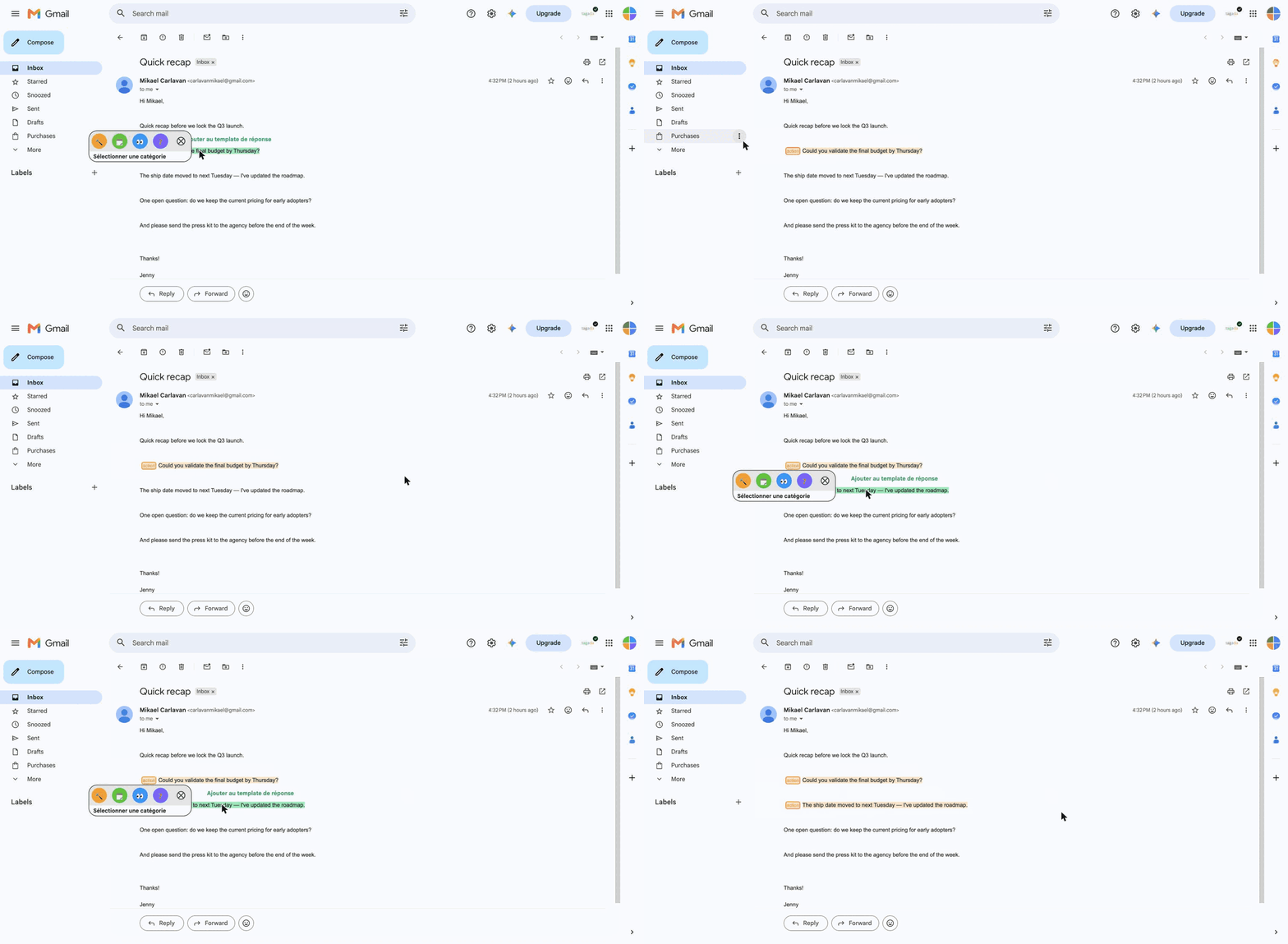
Click any sentence to mark exactly what needs an answer — no more re-reading the whole thread.
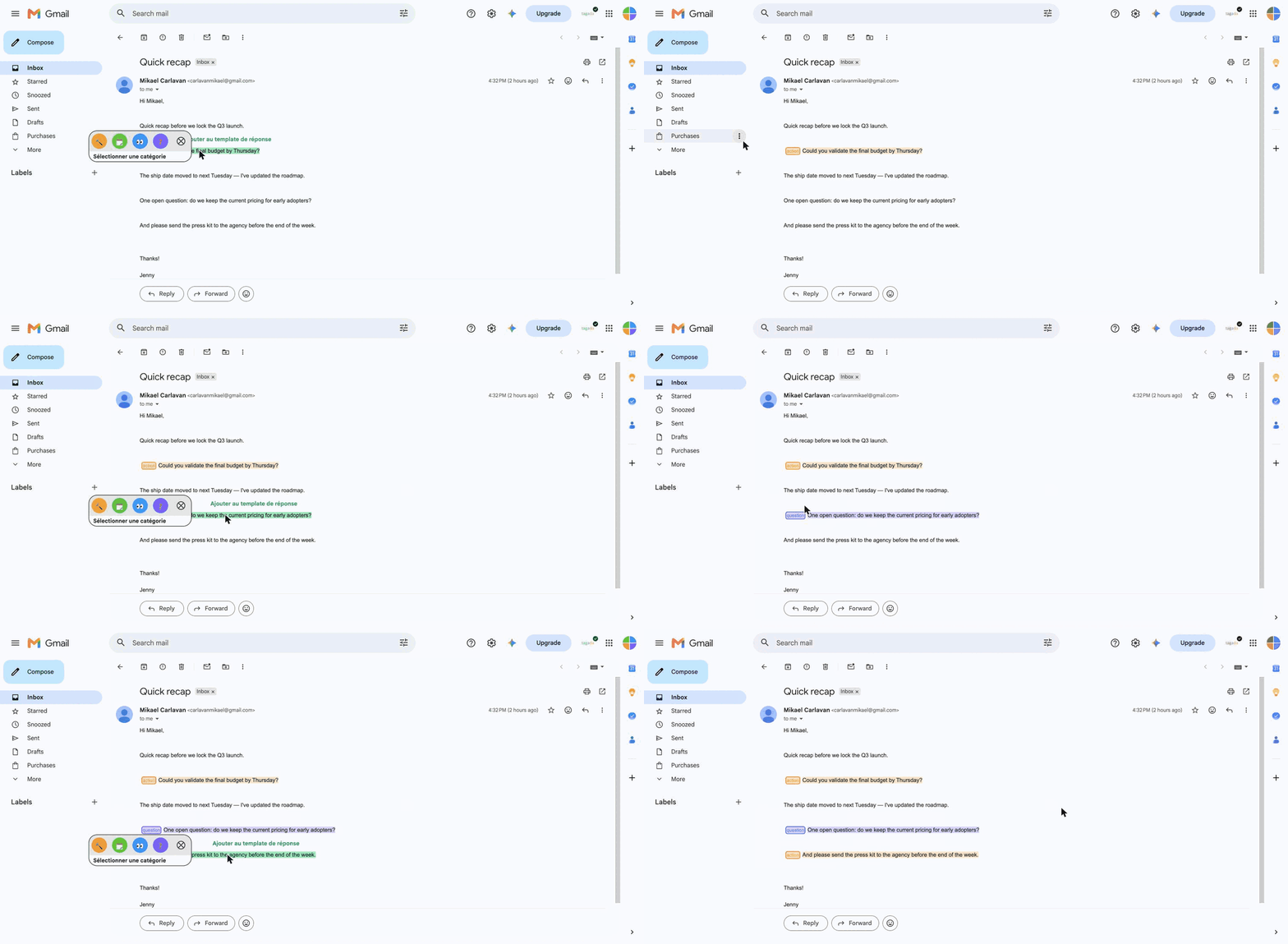
Sort your highlights by category — to-do, question, FYI — with a single click, in colors you choose.
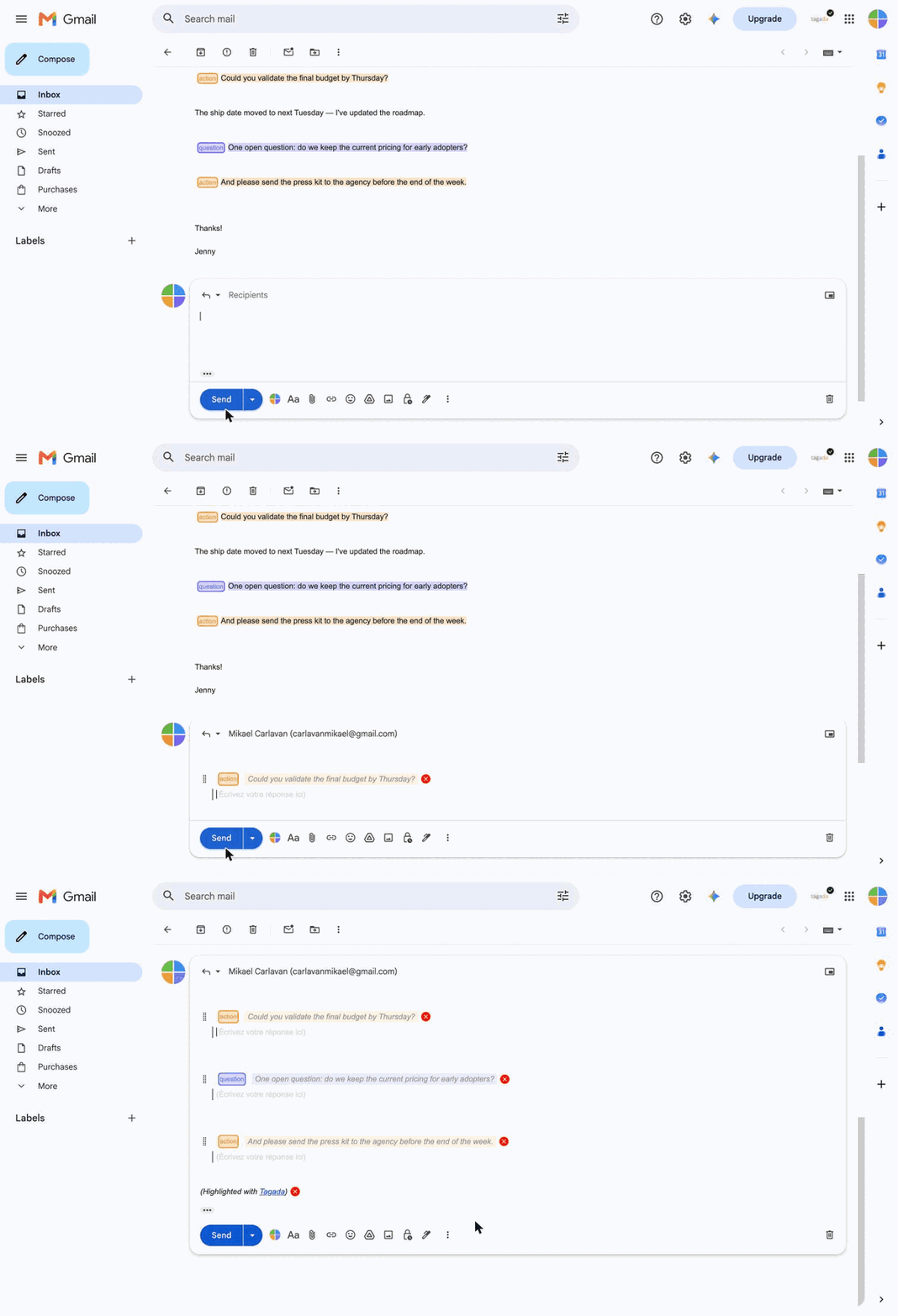
Answer from a clean template built from your highlights. Done with writing in blue inside the original email.
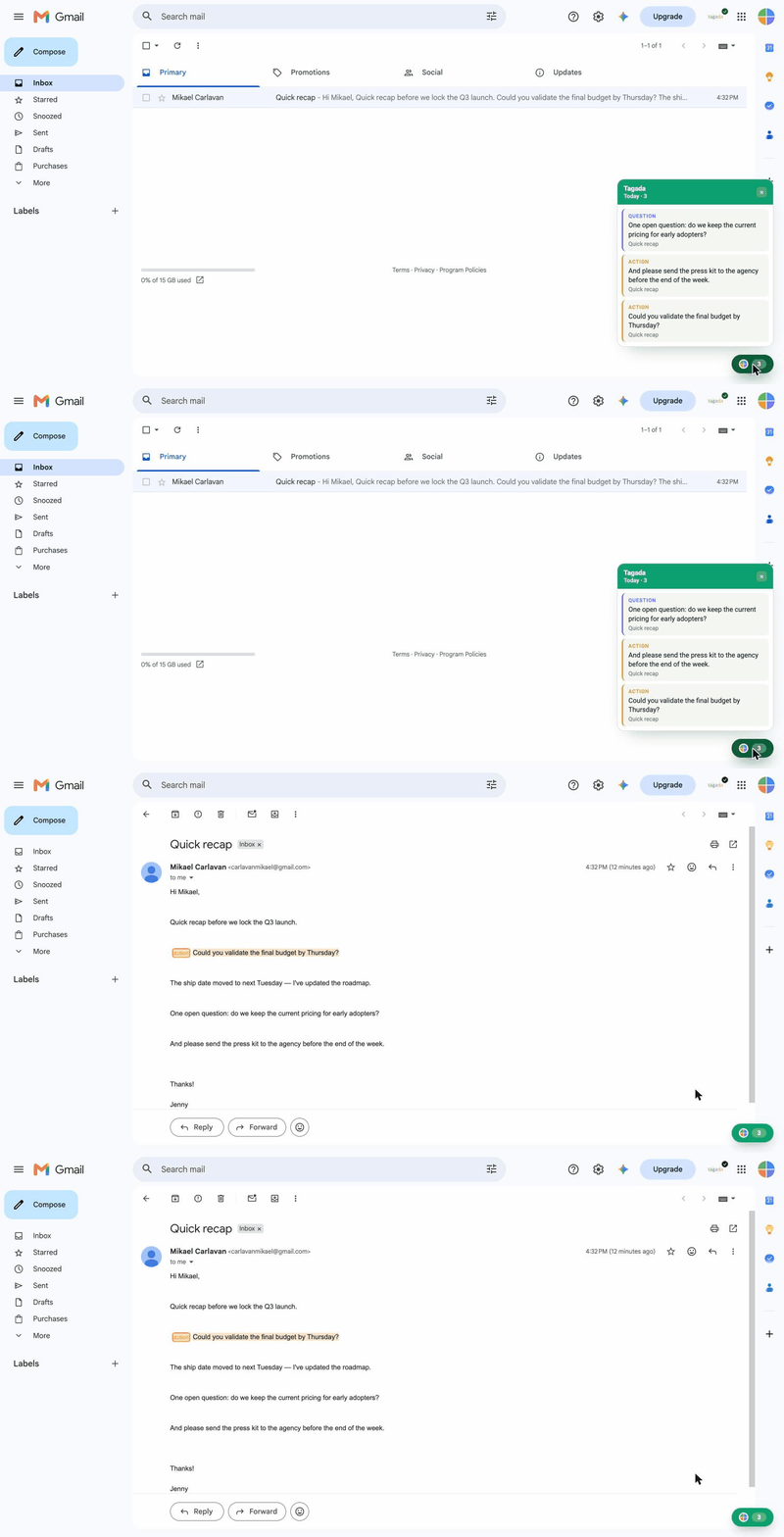
Give a highlight a due date and Tagada surfaces it in a daily panel — click a task to jump straight back to the sentence, highlighted again.

Every message becomes clickable sentences you can act on.

Organize what matters with one-click colored labels.

Turn your highlights into a clean, ready-to-send answer.

Give any highlight a due date, right from the tag menu — a gentle nudge instead of a forgotten thread.

A panel shows what's due today. Click a task to reopen the email with its sentence highlighted again.

No AI, no servers. Everything happens on your device.
Privacy by design
Tagada reads and organizes your messages right in your browser. Nothing is uploaded, nothing is analyzed on a server — your inbox stays yours.
“I was so tired of writing in blue in the original emails I was replying to. Finally an easy solution to this!”

Part-time CMO
“My favorite part is that I still use Gmail, no need to switch to a new tool.”

CEO @ Fostr
Add Tagada to your browser and reply faster today — it's free to start.
Occasional updates on new features and better ways to tame your inbox. No spam, ever.
Tagada can be used without a paid license. However, you will be limited in terms of functionality. For a better experience, we suggest you purchase a license.
We only collect essential data to enhance your experience: your first name, email address, and language preference. We respect your privacy and do not collect any unnecessary information.
No, your emails are never sent to our servers. Everything remains local on your device. At Tagada we make sure that your data stays private and under your control.
Yes — highlight a task, pick a date, and Tagada reminds you with a browser notification and an in-Gmail panel. Reminders are stored locally in your browser and synced across your own devices — never on our servers.